What It Really Does
Turn Your CRM From a Chore Into the
Engine Your Sales Process Runs On
AI CRM automation keeps your CRM updated automatically, advances deals based on real activity, and
gives your team accurate data without manual logging.
Why Businesses Improve Their CRM Processes
CRM adoption fails when maintaining it becomes a burden. AI automation handles the updates,
turning your CRM into a tool that supports sales instead of adding more admin work.

CRM data updated automatically, always accurate, never behind
Pipeline stages reflect real deal status, not outdated manual updates
Tasks and follow-ups created automatically through defined automation processes
New leads assigned and responded to without manual oversight
Leadership sees reliable pipeline data, and forecasting becomes possible
Our Approach
What’s Included in Every
CRM Automation Build
Custom-built to manage lead tracking, follow-ups, pipeline updates, and customer records, keeping your
CRM accurate and your sales process moving with less manual work.

Data Audit, Cleaning & Enrichment
A complete audit of your CRM data, identifying duplicates, incomplete records, outdated contacts, and data quality issues. Records are cleaned, enriched with missing information, and standardized before any AI CRM automation is implemented.

Pipeline Stage Automation
Deal stages advance automatically when predefined criteria are met, whether a proposal is sent, a call is completed, or a contract is signed. Your pipeline reflects real deal status in real time without manual updates.

Automated Task & Activity Creation
The right follow-up tasks are created automatically for the right team member at the right stage of every deal. No leads are missed because a reminder wasn’t created, and no opportunities stall due to forgotten follow-up.

Lead Routing & Assignment Logic
New leads are automatically scored, segmented, and assigned based on territory, deal size, industry, source, or any criteria you define. Response times improve while ensuring every opportunity reaches the right person.

Full Tech Stack Integration
CRM integration connects your email platform, calendar, marketing automation tools, support systems, accounting software, and other business applications. Data flows seamlessly across systems, creating a more connected revenue operation.
Live Pipeline & Revenue Dashboards
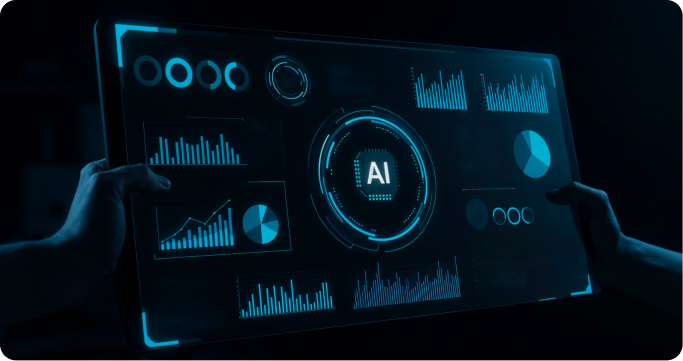
Real-time dashboards provide visibility into pipeline value, deal velocity, team activity, forecast accuracy, and win-loss performance using live CRM data. Leadership gains accurate reporting without relying on manual updates.

Deal Alert & Stall Notifications
Automated alerts identify deals that have gone untouched, exceeded expected stage durations, or show signs of slowing down, helping teams take action before opportunities are lost.

Meeting & Follow-Up Automation
Post-meeting notes, follow-up activities, and next-step reminders are automatically created and logged following calendar events linked to customer records, ensuring every conversation leads to clear action.

Sales Activity Reporting
Automated reporting tracks calls, emails, meetings, and pipeline activity across individuals and teams, providing the visibility needed to improve execution and identify growth opportunities.
Our Approach
What’s Included in Every
CRM Automation Build
Built inside your existing CRM — HubSpot, Salesforce, Pipedrive, GoHighLevel, and others.
How It Works
From your first call to a fully
running AI system.
We follow a structured five-step process that ensures everything is planned, executed, and continuously improved with precision.
Throughout the journey, you have complete visibility so you always know what’s happening, what’s working, and what’s driving results

We Audit Your
Business

We Design the
Automation

We
Build it

We Test and
Launch

We Improve What
Works
-
 STEP 01
We Audit Your Business
-
STEP 02
We Design Your Blueprint
-
STEP 03
We Build Everything
-
STEP 04
We Go Live Together
-
STEP 05
We Scale What's Working
How It Works
From Your First Call to a Fully Running AI System
We follow the same five-step process, so you know exactly what is happening at every stage. No guesswork.
Step 01 · Discovery
01
We Audit Your Business
Starting with a strategy call across sales, marketing, support, and operations to pinpoint high-impact automation opportunities and map a clear path.
Outcome
A clear map of your biggest operational bottlenecks.
Step 02 · Strategy
02
We Design Your Blueprint
Instead of a generic proposal, you get a custom blueprint mapping triggers, data flows, integrations, and handoff logic tailored to your exact ICP.
Outcome
Your custom AI implementation blueprint.
Step 03 · Build
03
We Build Everything
Autogility’s done-for-you model handles the full technical build, integrating your tools, and configuring AI agents and workflows.
Outcome
A working system that handles real tasks immediately.
Step 04 · Launch
04
We Go Live Together
Rigorously tested with real scenarios and edge cases, followed by active oversight for the first 72 hours and a 30-day performance check-in.
Outcome
A monitored, live system with zero post-launch headaches.
Step 05 · Optimize
05
We Scale What’s Working
We double down on high-performing workflows, refine setups for maximum speed and quality, and continuously optimize for growth.
Outcome
Predictable, scalable growth with continuous improvements.
Built on Trust
Built on Practical Implementation and
Real-World Results
Everything we build is designed to deliver practical value, measurable impact, and long-term usability in real business environments.

Step 01
Built for Real Business Environments
Our systems are designed around real teams, existing tools and practical operating requirements.
Step 02
Cross-Functional Business Experience
We understand workflows across sales, marketing, customer support and internal operations.

Step 03
Designed for Long-Term Use
Every system is structured for usability, scalability and ongoing optimisation.
The Shift
Here’s How Autogility’s CRM Automation
Changes the Way You Work
See how AI CRM automation services improve CRM data accuracy, strengthen
adoption, and create a sales process your team can rely on.

Manual Way

-
 CRM records updated manually always behind
-
Pipeline stages don't reflect actual deal status
-
Follow-up tasks missed because no one created them
-
Leadership can't trust the pipeline numbers
-
Team avoids the CRM too much manual input required
.svg "CRM Automation 25")
With Autogility Systems
.svg "CRM Automation 26")
-
 Records update automatically from real prospect activity
-
Stages advance automatically when criteria are met
-
Tasks generated automatically at every key stage
-
Live dashboards reflect accurate, real-time pipeline data
-
CRM requires minimal input adoption improves automatically
Who It’s for
Is This Right for Your Business?
This service is built for:

Testimonials
This Is What Happens When the
Right Systems Are in Place.
Don’t take our word for it. Here’s what our clients have to say.
FAQ
Questions? We Have Answers.
A few common questions around AI automation, implementation, timelines, and what this can actually look like for your business.
Proven Performance
Where AI Starts Creating Real Business Impact.
Every custom automation we build is designed around one outcome “Measurable Impact”.
Here’s what happens when the right AI systems are implemented in the right businesses.
AI Customer Support
71% of Support Tickets Resolved Automatically
Deployed a custom AI support agent trained on the full product catalog, FAQs, and policies. Integrated with helpdesk platform, built smart escalation routing, and added proactive post-purchase communication flows to reduce inbound volume.
.svg "CRM Automation 33")
AI Workflow Automation
From Quote to Booking — Without the Manual Follow-Up
A multi-location home services company with four separate manual processes, an overwhelmed admin team, and an owner fielding daily operational problems. After automation, admin hours dropped 78%, quote-to-booking fell from 3 days to 5 hours, and the business saved $67K annually.
Your CRM Should Be Telling You What to
Do Next, Not the Other Way Around
We’ll audit your current CRM, show you exactly what’s broken, and give you a clear picture of what an automated, reliable CRM looks like for your business.